Prepaid Card Basics

Social distancing and other important preventive measures in our everyday lives have impacted the way we handle average financial transactions, even basic necessities like buying groceries and paying bills. While adjusting our finances to these new realities can be challenging, you can be sure that electronic payments are the safest and easiest way to manage your money. You can make purchases and pay bills without leaving your house!!

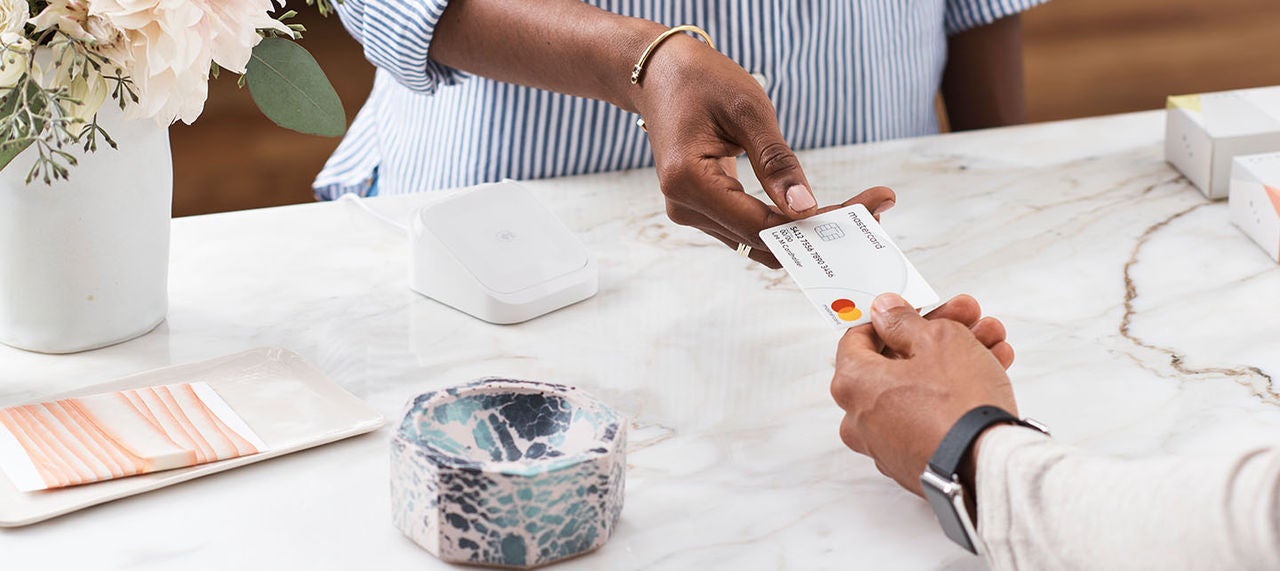
Customer making a payment with a Mastercard at a retail counter

Congratulations on receiving your new Prepaid Card!

Your Prepaid Card may already be preloaded with money and ready to be used just like a debit or credit card to pay at stores, online, or over the phone. You can have all the benefits even if you don’t have a bank account or credit history. Prepaid Cards make it easy to manage your finances:

  • They’re faster and more convenient than using cash.
  • Use your card to pay bills, shop online, and even transfer money to friends or family.
  • With Zero Liability Protection*, your card is protected against unauthorized purchases.

Making the Most of Your New Prepaid Card

New to Prepaid Cards? Here are a few quick tips to get you started. Before you use your Prepaid Card:

  • Activation requirements vary. Check your card packaging for detailed instructions.
  • Double check the details of your card. For example, you might need to create a PIN number for purchases and cash withdrawals at ATMs.
  • Review if there are fees associated with your card in order to use it in a way that keeps costs down.

Shopping in Person

1. When you are shopping in person you may have up to three ways to use your Prepaid Card, depending on whether your card has a Magnetic stripe, a Chip, or is enabled for Contactless “Tap and Go” transactions.

SWIPING YOUR CARD:

Use the magnetic stripe on the back of the card, to swipe at the terminal yourself, or as instructed by the store clerk.
credit card swiper device

USING A CHIP:

At chip-enabled terminals, insert your card with the chip towards the terminal, facing up. Do not remove the card until prompted.
credit card chip insertion device

USING CONTACTLESS:

“Tap and Go”: Look for the 🛜 symbol on your card and on the terminal. When processing your payment, place your card a few inches from the terminal reader to complete the transaction. 
credit card contactless payment device

2. Once your transaction has been processed, you might have to sign or enter your PIN number when requested, to complete your payment. Some transactions may not require either.

3. Follow the terminal instructions to complete the purchase.

Shopping Online

online shopping cart

MAKING PURCHASES OR PAYING BILLS ONLINE:

  • Make sure the website address you are using starts with https instead of http and shows a security icon displayed in the left corner, such as a “closed lock” or “unbroken key.”
  • Enter your name, your 16-digit card number found on the front of the card, expiration date and card security code (CVC – 3-digit number on the back of your card), address, and all other requested information.
  • Choose the credit option to pay.
  • Review the transaction summary and click submit or purchase.

Cash Access

ATM device

GETTING CASH AT THE ATM:

  • Confirm that your card allows ATM access.
  • If you didn’t receive a PIN number to use at ATMs with your card, request one by calling the number on the back of your card.
  • Many ATMs are different, follow the instructions on the screen.
  • When asked what account you want to withdraw money from, select “checking.”
  • Enter the amount of cash you desire.
  • Take your cash and receipt and ensure the transaction has ended before you leave the ATM.
dollar sign

GETTING CASH BACK WITH PURCHASE:

Save yourself ATM fees by requesting cash back when you make purchases using your Prepaid Card. The cash will be included in the purchase price.

  • Ask in advance if you can get cash back when you pay at the store and ask if there are fees.
  • Tell the clerk how much cash you want and present your card for payment, either swipe it, use the chip or contactless, as appropriate.
  • Once your transaction has been processed, you might have to sign or enter your PIN number when requested, to complete your payment. Some transactions may not require either.

Note: Some merchants can give you CASH BACK WITHOUT A PURCHASE. A small fee may apply, but it’s probably lower than traditional ATM fees.

credit card in hand

MANAGING YOUR PREPAID CARD EFFICIENTLY:

  • Check your card balance online, through an app, over the phone or at an ATM, before using your card.
  • Keep your receipt after a purchase to verify that the correct amount was deducted from your Prepaid Card balance.
  • Keep in mind that a temporary hold may be placed on your card for some types of reservations, or when paying at some gas pumps, reducing the amount you have available to spend on your card.
  • Call the number located on the back of your card to report a lost or stolen card immediately, to avoid any fraudulent purchases.
  • Check if there are any fees associated with your card and use it in a way that keeps costs down.
credit card with a lock

PROTECTING YOURSELF FROM FRAUD & ID THEFT:

There are some simple things you can do to ensure your money and identity are protected. 

  • Monitor your balance frequently.
  • Keep your 16-digit account number and the customer service phone number, located on the back of your card, in a safe place at home.
  • Never leave cards or PINs in sight. Choose a PIN that isn’t obvious to others and never write it on or near a card.
  • Don’t lend your cards to anyone.
  • Make sure no one is watching when entering a PIN at an ATM, and only discard ATM and card purchase receipts in a secure place.
  • Keep an eye on your card during transactions and get it back as quickly as possible.
  • Use improved technologies like contactless payments, chip, or mobile phone applications to avoid putting physical cards in the possession of someone else.
  • When online, be cautious about emails and questionable websites asking for disclosure of sensitive financial information. Don’t click on links from suspicious emails.
  • Make use of general computer protections, firewalls, and software that guard against viruses.
  • Turn off computers when not in use to reduce the risk of hacking and intrusion.
  • Banks and legitimate businesses will never email customers asking for passwords or similar sensitive information.
  • Don’t conduct transactions over public WiFi or open Internet connections not protected by a password.
  • If someone phones saying they need personal or account information, hang up and call the phone number on the back of your card. 

Need a Prepaid Card?

Visit https://www.mastercard.us/prepaid to pick one that is right for you. 

About Master Your Card

Master Your Card is a community empowerment education program sponsored by Mastercard, that works with committed partners nationwide to bring information about the benefits of electronic payments technology for underserved communities to build brighter financial futures. The program has facilitated presentations and workshops in numerous cities around the country, provided financial education to tens of thousands of students and reached millions through partners’ initiatives and education materials. 

mastercard logo