Help article

How to create an app in the Mastercard Developer Portal?

1 min read

Markus Erasmus profile photo

Markus Erasmus

Customer Technical Services Analyst,

Mastercard

To start, register your email address and other requested details on the Mastercard Developer Portal.

Screenshot of Aiia platform

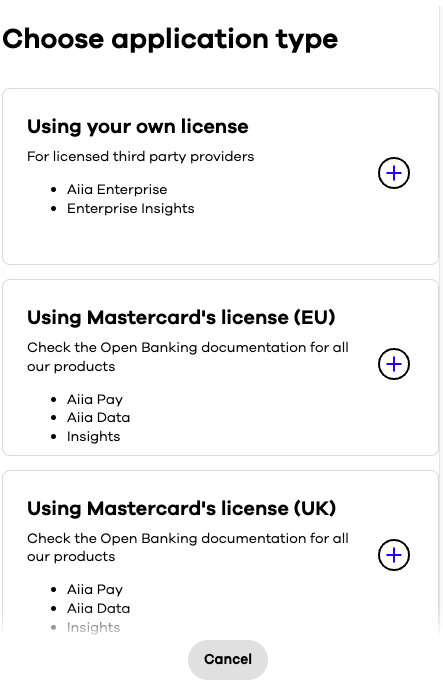
Choose the application type from the list based on which product you want to use.

Screenshot of Aiia platform

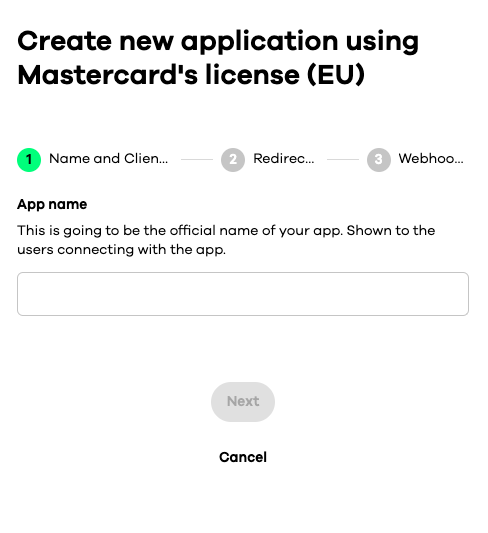
This image illustrates the process of creating an app with Mastercard licensed products.

Screenshot of Aiia platform

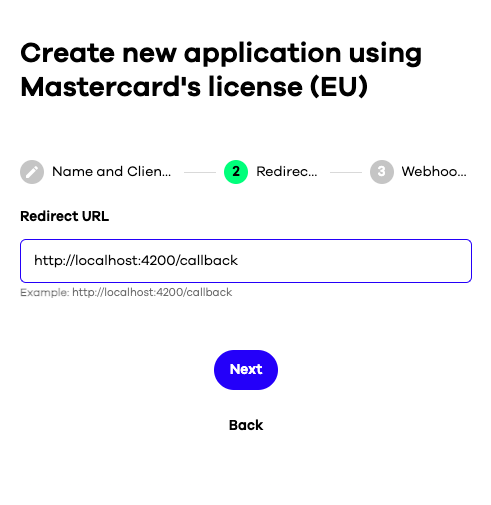
Enter your redirect URL where users will be sent after completing the connect flow.

Screenshot of Aiia platform

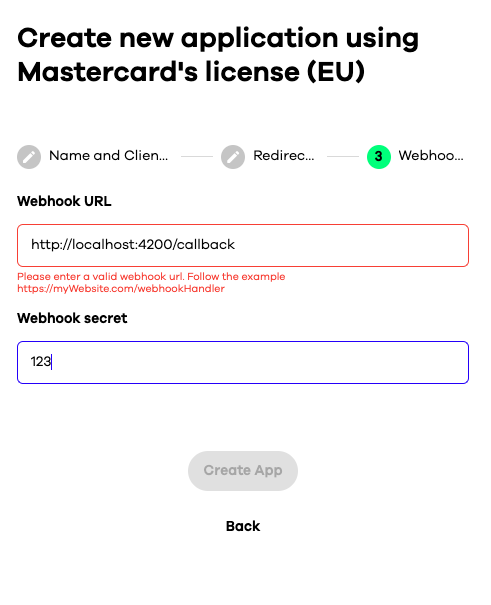
Optionally, provide a Webhook URL to receive event notifications from users’ accounts.

Screenshot of Aiia platform

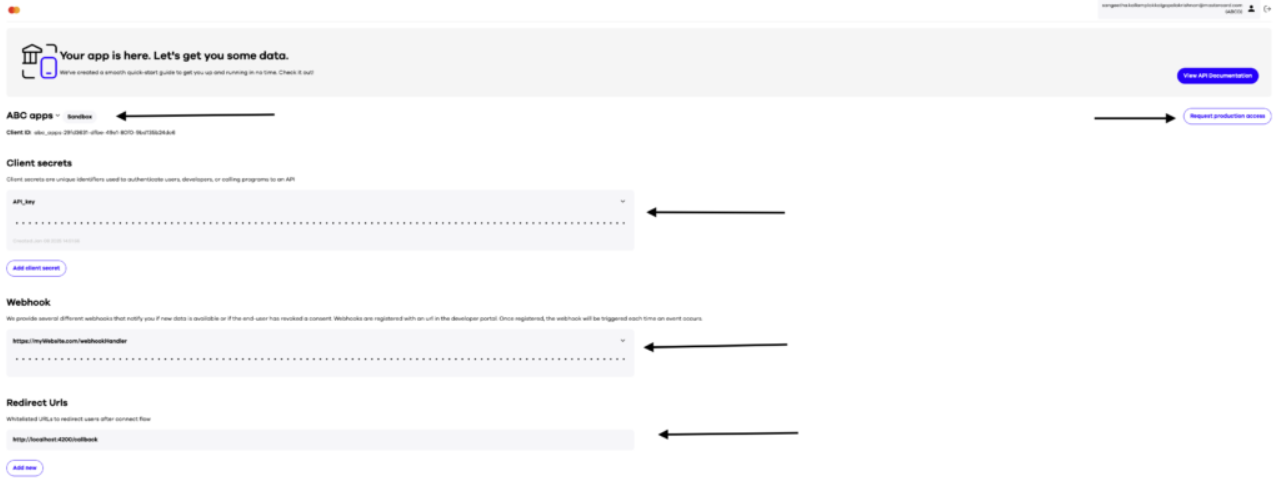
After creating your apps, you can view an overview by clicking on each app. When ready, request production access.

Screenshot of Aiia platform

Have more questions? Submit a request

Articles in this section

Articles in this section

Related help articles

Related articles in this category