Make Your Menu Easy for Everyone​

Add sensory detail to your menu in minutes, and help every guest order with confidence.​

scanning qr code

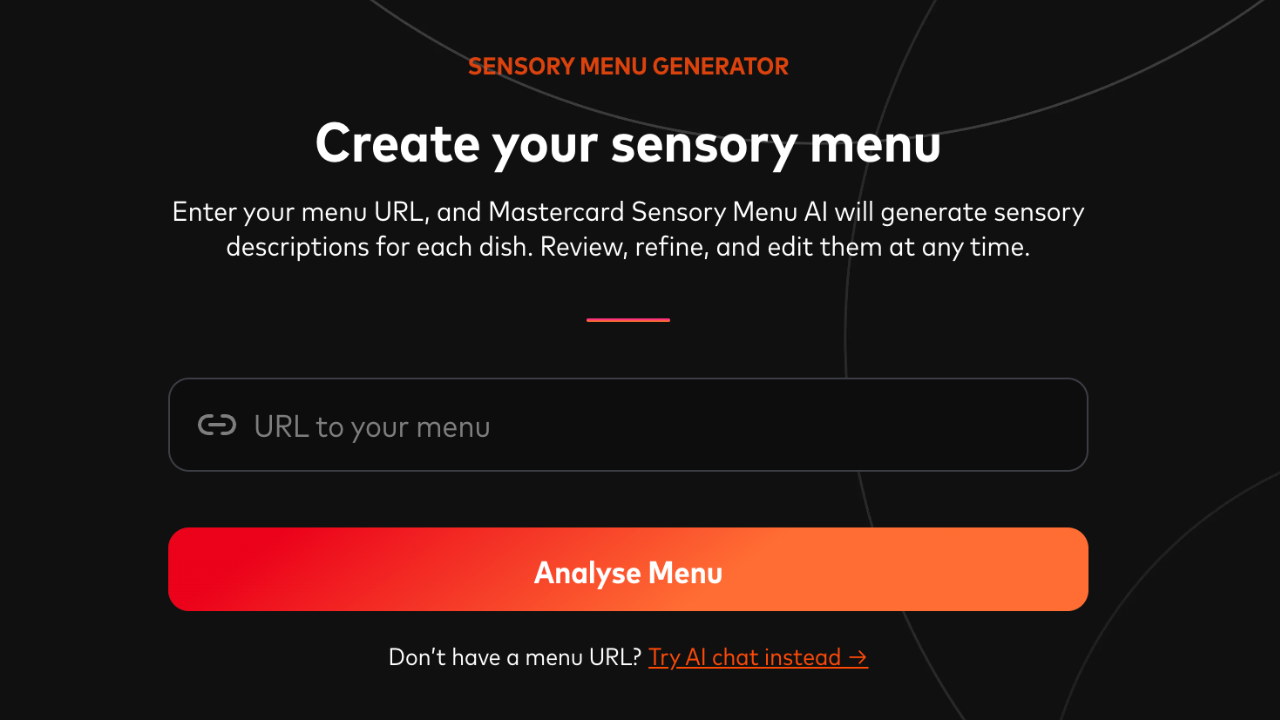
Create a sensory menu in under 10 minutes

Step 1

Input your existing menu URL

input url to create sensory menu

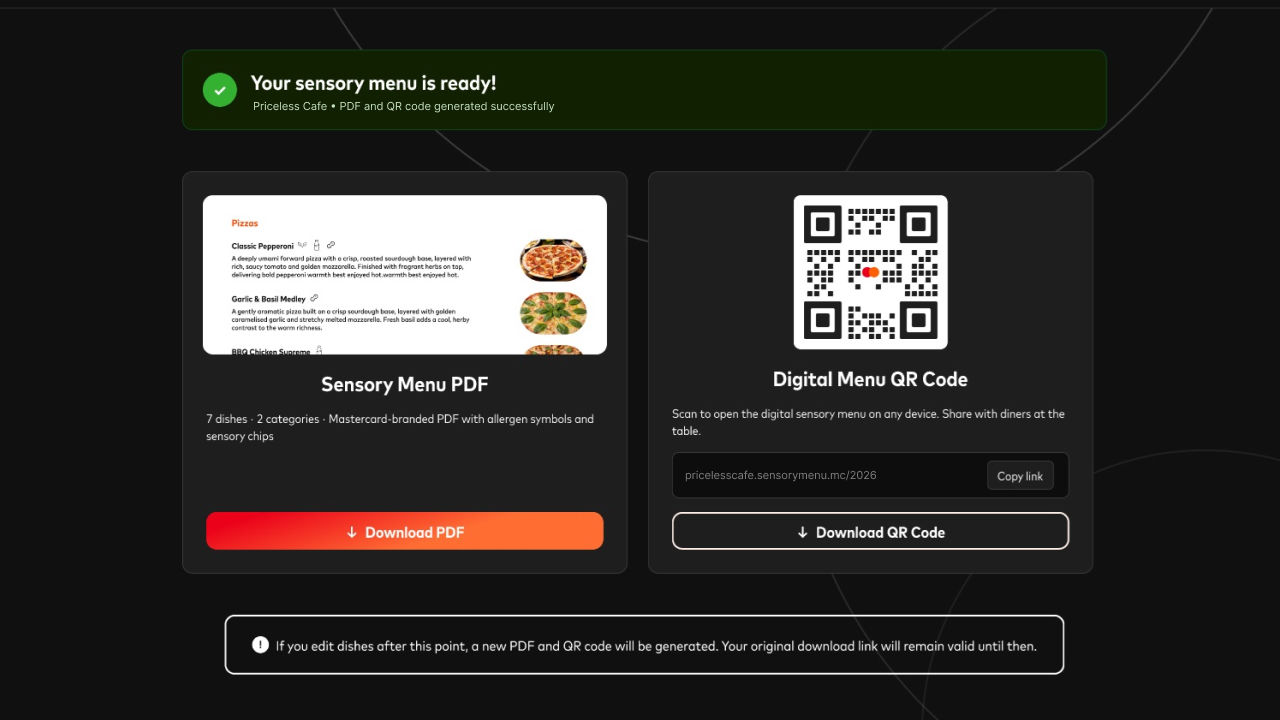
Step 2

Sensory menu & QR code will be generated for instant usage

ai menu generator

Why does it matter?​

A little clarity can make ordering feel much easier. Clear descriptions, ingredient and allergen information, and accessible formats help neurodivergent diners and others with sensory sensitivities know what to expect and choose with confidence.​

Here are a few simple ways to make your menu more welcoming.​

What best practice looks like:

List allergens on every dish – gluten, dairy, nuts, onion, garlic and more. Train staff to confirm them when taking the order.​

Mark which dishes can be changed – a simple symbol or note works, like "can be made without onion."​

Publish your full menu in plain language, with complete ingredients for every dish. Remove anything you no longer serve, and update it as things change.​

Use recent, accurate photos on your website, Google and social. They help guests know what to expect before they arrive.​

Printed, digital, audio – whatever suits. No photos of the menu? Link visuals on your website, or offer a tablet on request.

Invite guests to leave reviews and photos. It helps others with sensory needs find you and know what to expect.

Keep it current – add quiet hours, accessibility details and any sensory notes, so you're easier to discover.​

A little training goes a long way. The Inclusion Hub training can guide you and your staff.  

Real-world example​

A restaurant keeps its menu online, with expandable ingredient and allergen details for each dish. Staff are also ready to answer questions and share more information when needed.​ 

“I think it's all about options. Sometimes I want a QR code menu when I don't want to interact with people, but sometimes I need to speak to a person.” 

Community Member

Additional Measures

Include sensory notes in your menu​

Add simple descriptions of taste, texture, smell and presentation, so customers know what to expect before they order.​

Share event information​

Let people know what to expect before they arrive, with clear details on timings, crowds, noise levels and anything else that may help them prepare.​

Communicate appointment information

Send simple, step-by-step details ahead of time, so customers know what will happen and can feel more prepared.​

Provide accessibility information online

Keep clear, useful accessibility details online, so people can plan their visit with more confidence.​

Provide clear signage

Simple visual signs can make it easier for people to find their way and understand what happens next.​

Improve store navigation

Use clear maps, landmarks and consistent layouts to help customers know where to go.​

Create your sensory menu

Make your menu easier to order from with our AI menu generator.