
MasterCard Contactless technology lets you make everyday purchases quickly and safely with just a tap of your contactless-enabled MasterCard® or Maestro® card or device—wherever you see the universal contactless symbol. So checkout is easier than ever, and it’s faster than fumbling with cash.
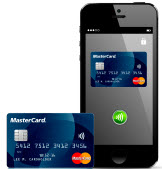
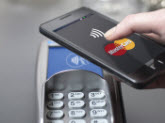
Contactless is accepted globally at all kinds of merchants, including retail stores, fast-food restaurants, pharmacies, transit points of entry, and grocery and convenience stores. You’ll even find contactless in taxicabs and vending machines.


CONTACTLESS IS SAFE AND SECURE!
Encryption—unique to every purchase—protects your transaction data, and your card or device never leaves your hand, reducing the risk of card loss or counterfeit. What’s more, safeguards are in place to bill you only once if you accidentally tap twice. So your contactless-enabled credit, debit, or prepaid MasterCard card or device is one of the most secure ways to pay.
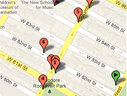
CONTACTLESS APP | |
MASTERCARD NEARBY |
Lets you search where contactless is accepted all over the world. |
Contactless for Merchants
Potential benefits to merchants:
- Faster checkout time
- Reduced costs related to cash handling
- Increased payment transactions
- Higher average spend

Contactless for Issuers
Potential benefits to issuers are:
- Incremental spend—consumer not limited to cash on hand
- Incremental transactions—results from increased usage
- Replacement of cash purchases now paid with contactless-enabled cards and devices
- Provides an infrastructure for mobile payment capabilities
Potential benefits to cardholders are:
- Enables secure payment with mobile phone
- Provides a faster, simple, and safe way to pay for purchases
- Offers greater convenience, eliminating the need to restrict spending to cash on hand
- Allows cardholder to maintain control during purchases
Contactless for Acquirers
Potential benefits to acquirers are:
- More transactions and higher spend per transaction
- Recruitment of new merchants, including some in completely new card payment acceptance environments such as mass transit
- Enables point-of-sale (POS) for mobile near-field-communication (NFC) payments.
Chip Information Center
A centralized resource to all chip and contactless related information, including publications, forms, recent updates, announcements, FAQs, and bulletins. This site is for issuers, acquirers, and processors that are registered with Connect.
MasterCard Mobile Partner Program
Global resource center for connecting vendors and MasterCard in the mobile space on a global basis in order to support the delivery of mobile payment services.
MasterCard Marketing Center
Enables customers to explore marketing tools and MasterCard-branded offers that can help enhance their portfolios and drive business value. This site is for registered users.